What does NutriPet do?
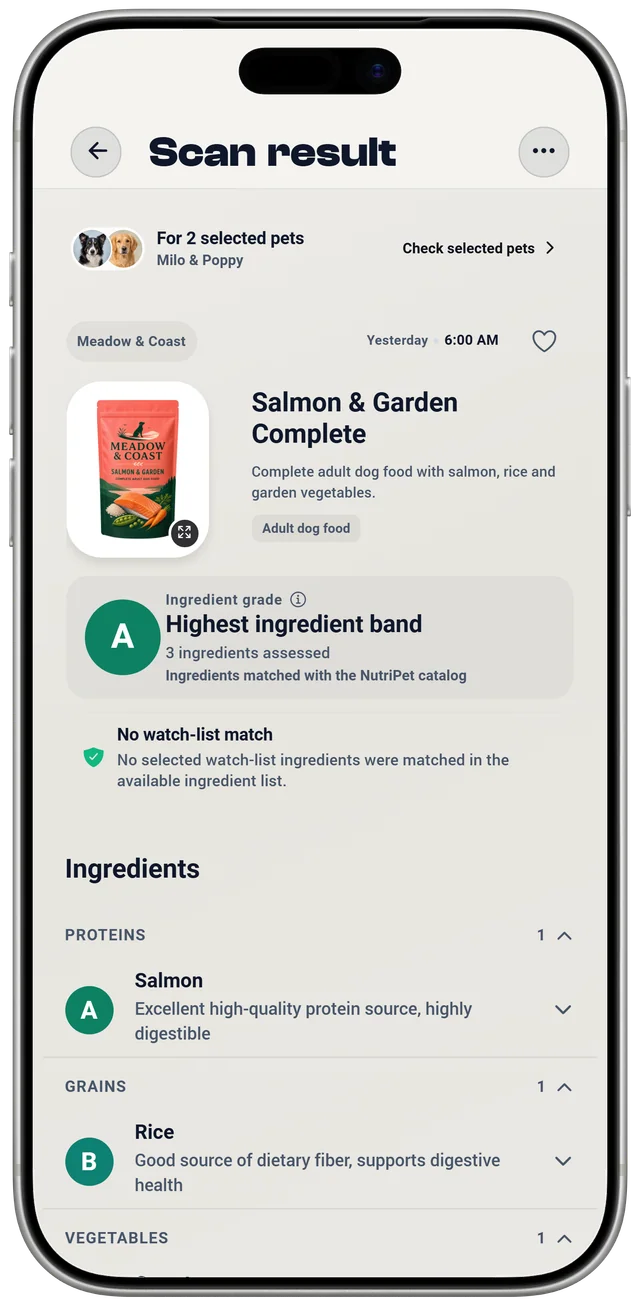
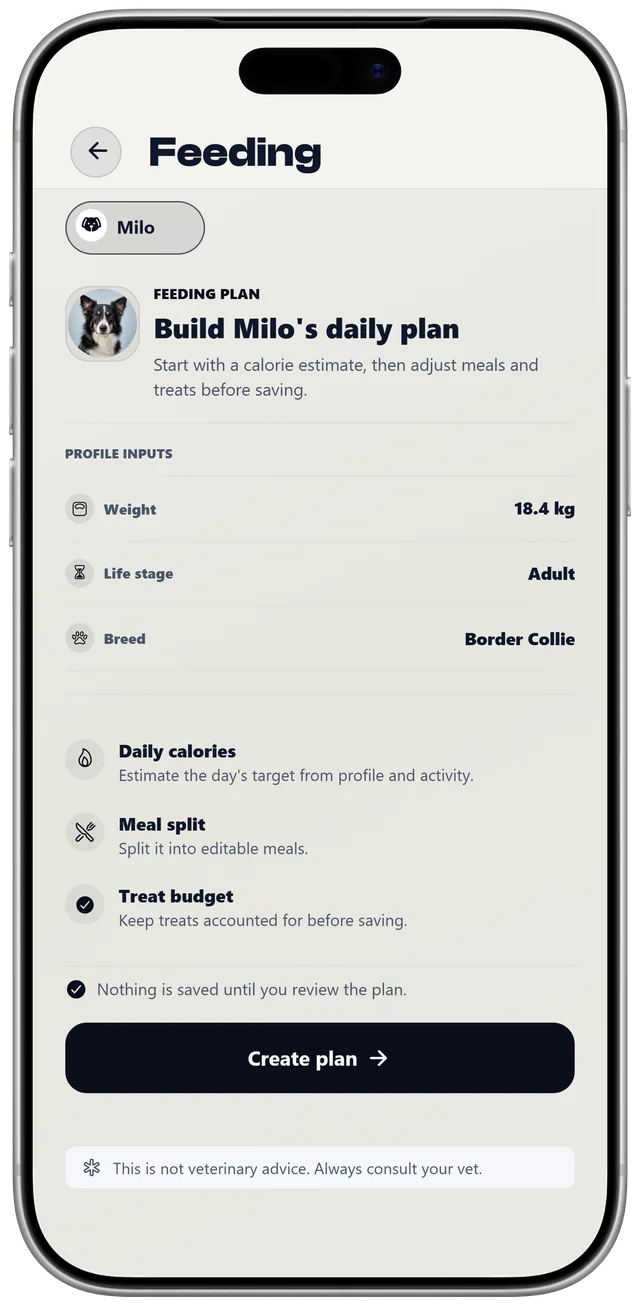
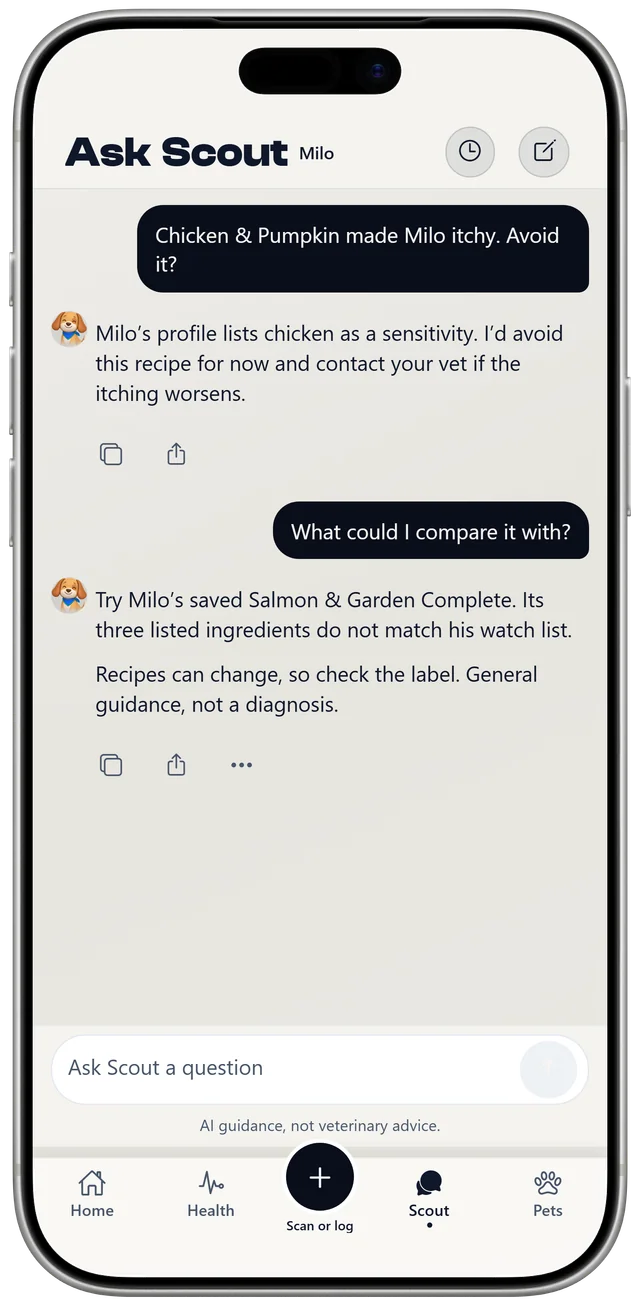
NutriPet helps you feed, train, and care for your dog or cat. It checks pet food ingredients from a barcode, ingredient label, or food photo, estimates portions and calories, keeps a food journal and health log, offers short reward-based training lessons, and answers questions through Scout.
Who is NutriPet for?
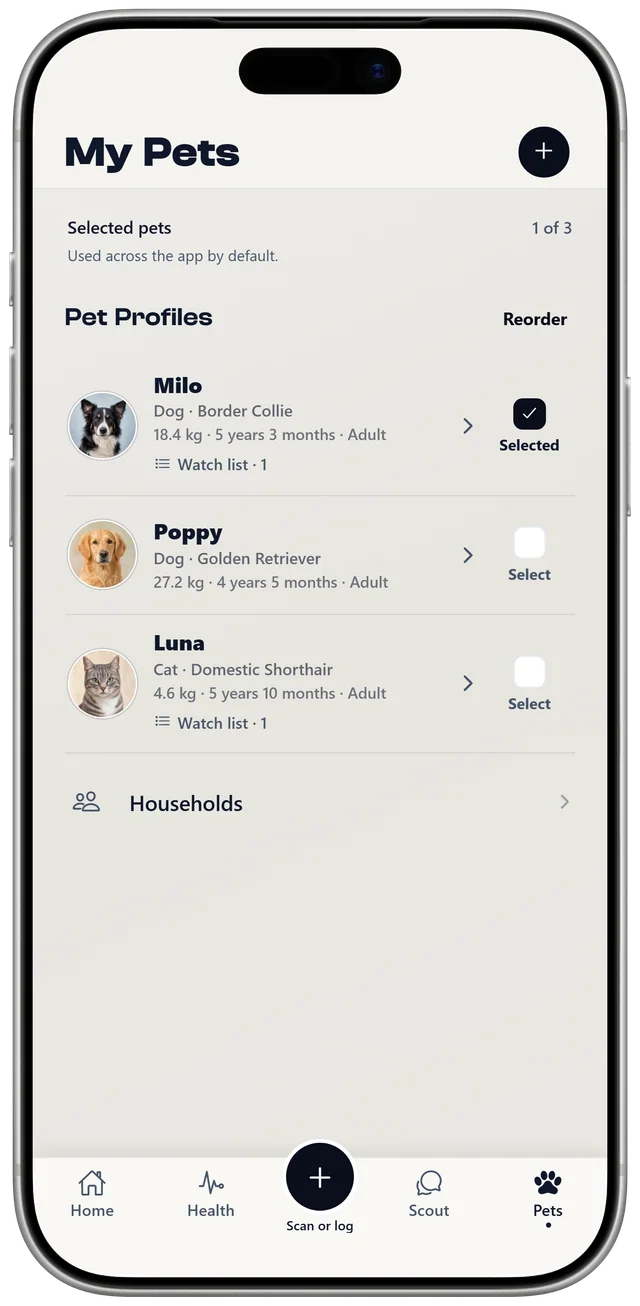
NutriPet is for dog and cat owners who want clearer food choices, simple health records, and a little structure for training, including households with several pets.
What can NutriPet scan?
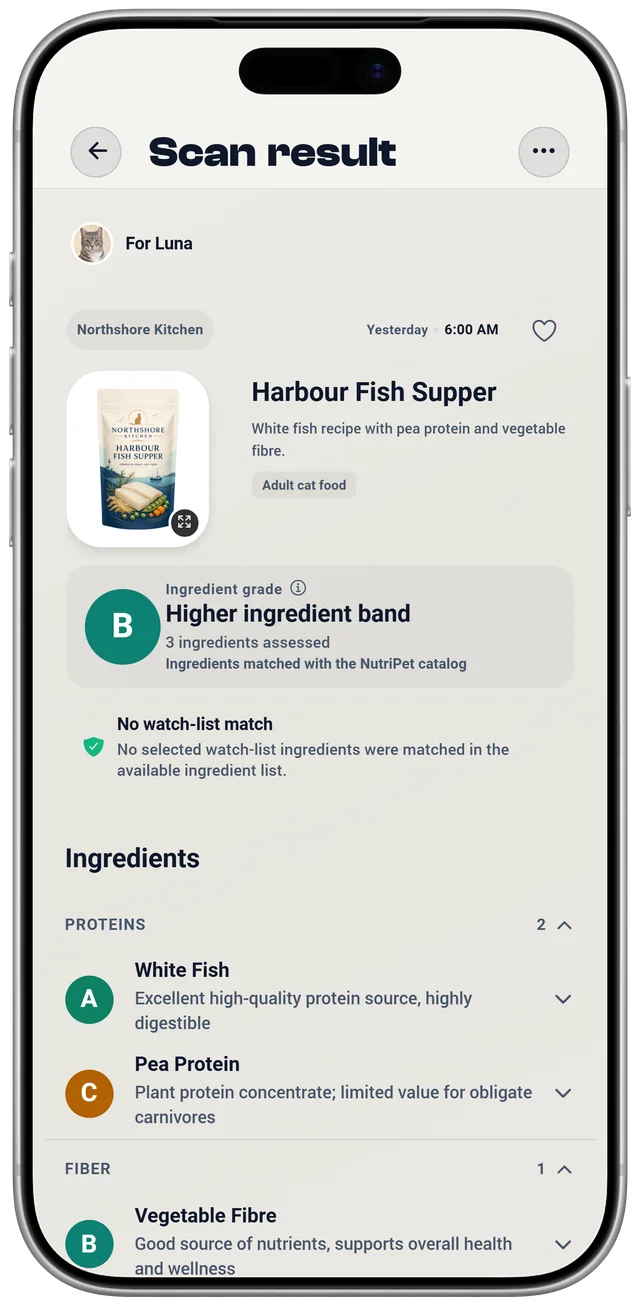
You can scan a pet food barcode, an ingredient list, or a photo of the food. Grades are based on the listed ingredients.
Does NutriPet require a subscription?
Yes. Scanning, analysis, adding or editing food, health, and training records, feeding plans, cloud backup, and exports require NutriPet Pro. Current subscription prices and terms are shown in the App Store or Google Play before purchase.
Does NutriPet replace a veterinarian?
No. NutriPet can help you understand labels and ingredient concerns, but it cannot diagnose a condition or replace your vet, especially for allergies, illness, or a prescribed diet.
Can I use NutriPet for both dogs and cats?
Yes. You can create separate profiles for dogs and cats, and NutriPet checks each food against the selected pet.
Can I track meals and reactions?
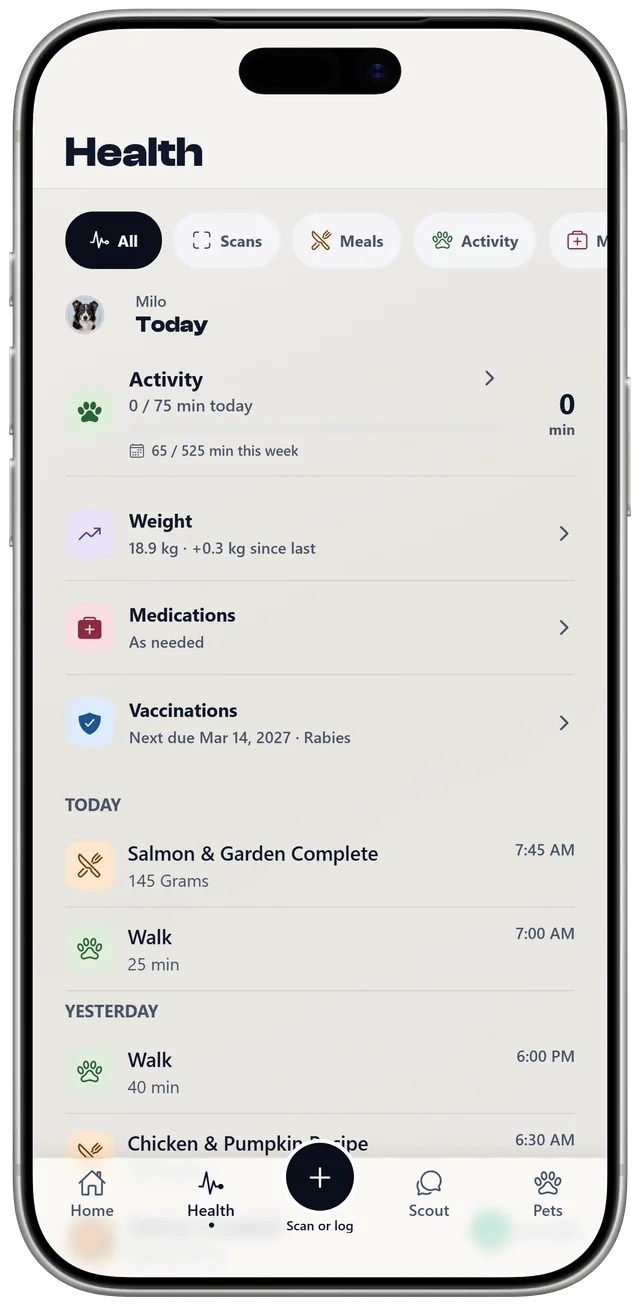
Yes. You can log meals and note any reactions for each pet, making it easier to spot patterns over time.
How does NutriPet check pet food safety?
NutriPet checks the barcode, ingredient list, or food photo against its curated food and toxin data. It then shows what it found for the dog or cat you selected and explains any concerns.
What is Scout?
Scout is NutriPet's built-in guide for food and feeding questions. It can use the selected pet's profile and NutriPet's safety data for context, but it gives general guidance only and should not be used for emergencies, diagnosis, or treatment.
What else can I track?
Alongside meals, you can record reactions, symptoms, activity, medication, vaccinations, and weight. Vaccination records can include the date given, the next due date, and reminders. Feeding plans can estimate calories, portions, meal splits, and treat allowances; you can edit every estimate.
Can I back up or export my data?
NutriPet Pro includes cloud backup and PDF exports. Cloud backup is optional, and the app shows you when a sync or export needs attention.
How does training work?
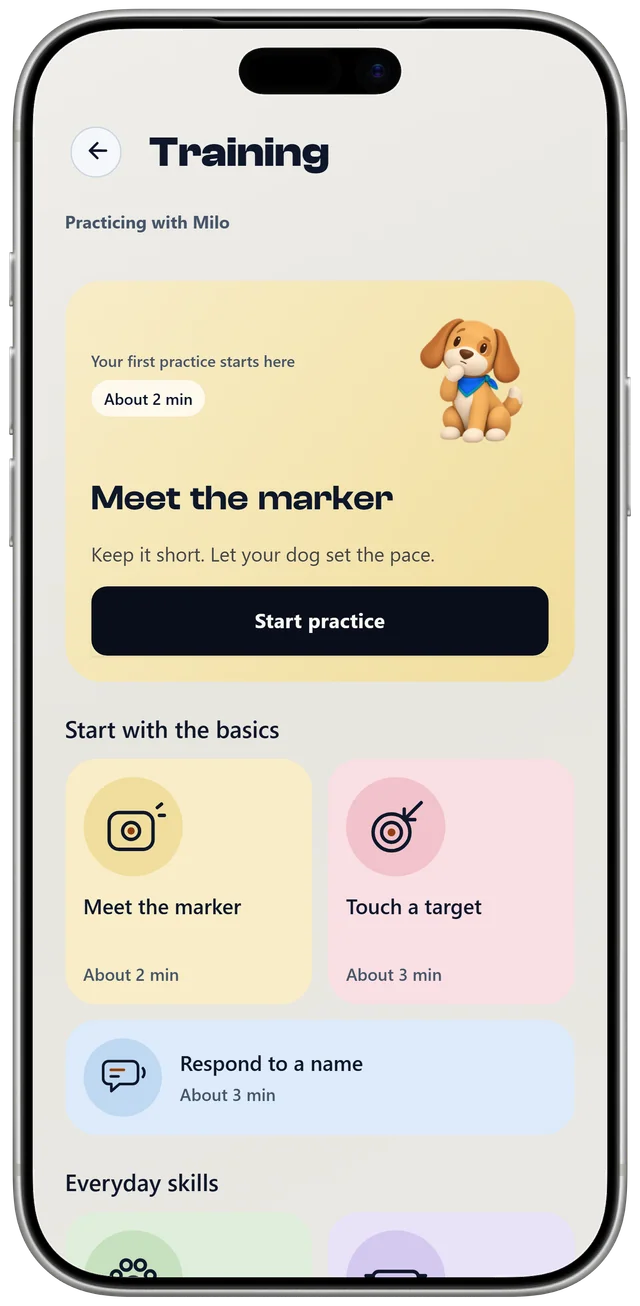
Training offers short, reward-based lessons for dogs and cats, such as meeting the marker, touching a target, and responding to their name. It includes a clicker with a quiet or regular click, or you can use your own marker word. Each practice is saved on your device, and you can log the treats you used in the food journal. The lessons cover everyday skills; for behavior problems, talk to your vet or a qualified reward-based trainer.
Is NutriPet available now?
Available now on iPhone, iPad, and Android. Availability may vary by country and device. Check the App Store or Google Play listing for your region.
Where can I download NutriPet?
Use the App Store or Google Play links on this page. If a listing is not available where you live, contact support and we can check whether NutriPet has launched in your region.